
Discover whether your restaurant, café, bakery or takeaway counter in Hyderabad needs simple mobile billing or an advanced restaurant POS. Compare itemized food bills, QR/UPI payments, receipts, KOT workflows, table management and costs before choosing the right solution.
Need simple food billing, not an expensive restaurant management platform?
A small takeaway counter in Hyderabad may serve dozens of customers during a busy evening. Orders are prepared quickly, but handwritten bills, repeated calculations and scattered UPI payment records can slow checkout. Meanwhile, a dine-in restaurant may face a different challenge: coordinating orders between tables, waiters and the kitchen.
Choosing the right restaurant billing app in Hyderabad starts with understanding these different workflows.
1. Restaurant Billing App Hyderabad: Why Manual Billing Creates Problems
Small food businesses often depend on paper registers, calculators and separate payment applications.
During peak hours, staff may enter incorrect quantities, forget add-ons or struggle to reconcile cash and UPI collections.
For takeaway counters, the immediate requirement may simply be accurate bills and clear payment records.
For dine-in restaurants, billing alone cannot resolve missed kitchen instructions or table-order confusion.
The right solution addresses the actual bottleneck without introducing unnecessary complexity.
2. Takeaway Billing Software Hyderabad: Features Small Food Businesses Need
A practical takeaway billing application should make everyday checkout straightforward.
Important evaluation requirements include:
- Simple food-item and quantity entry.
- Accurate bill totals and itemized receipts.
- Cash and QR/UPI payment recording.
- Customer transaction history.
- Daily sales and collection reports.
- Compatible receipt printing, when needed.
Businesses should test menu items, modifiers, discounts and applicable GST fields before purchasing.
A small bakery selling ready-made products may need a different setup from a restaurant preparing customized orders.
Simplify Your Restaurant and Takeaway Billing with Smart Software
Explore Smart Billing
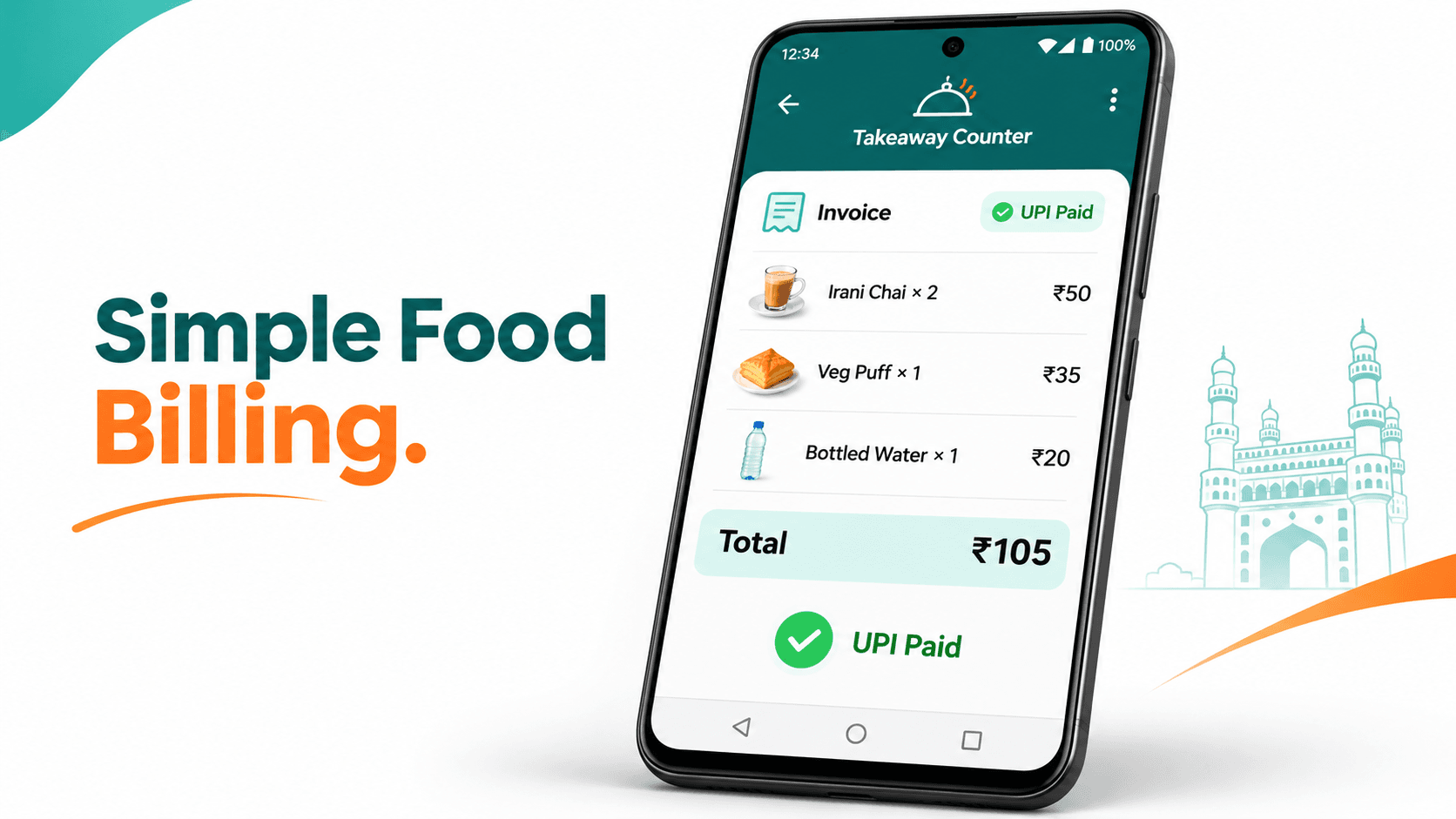
3. Mobile Restaurant Billing App Hyderabad: Example Food Invoice
Consider this illustrative takeaway order:
| Menu ItemQuantityAmount | ||
| Irani Chai | 2 × ₹25 | ₹50 |
| Veg Puff | 1 × ₹35 | ₹35 |
| Bottled Water | 1 × ₹20 | ₹20 |
| Total | ₹105 |
Illustrative bill before applicable taxes.
The counter operator enters the items, reviews the total, collects payment and records the transaction.
For a UPI payment, the operator should verify that the amount has actually been received before marking the bill as paid.
This is a straightforward counter-to-payment workflow, not a complete restaurant order-management system.
4. Restaurant Billing Software vs Advanced POS in Hyderabad
Both software categories can support billing, but they address different operating needs.
| RequirementSimple Mobile BillingAdvanced Restaurant POS | ||
| Basic food invoices | Suitable | Suitable |
| Cash and UPI records | Suitable | Suitable |
| Daily sales summaries | Basic | Often more detailed |
| Kitchen Order Tickets (KOT) | Requires separate capability | Typically supported |
| Table-wise orders | Not a standard basic feature | Typically supported |
| Kitchen Display System | Not a standard basic feature | Available in some systems |
| Ingredient and recipe tracking | Limited or separate | Available in specialized systems |
| Multi-outlet operations | Limited | Available in some systems |
Choose mobile billing when customers order and pay directly at one counter.
Evaluate restaurant POS when staff must coordinate tables, kitchen preparation, order changes and multiple service channels.
5. Smart Billing Lite for Hyderabad Takeaway Counters
Murmu Software Infotech (MSI) developed Smart Billing Lite as a mobile-first billing solution for small businesses.
Its documented capabilities include calculator-style billing, QR payment collection, customer records, udhaar tracking, WhatsApp communication and daily income reporting.
For a tea stall, bakery or compact takeaway counter, these features may provide a useful starting point.
The business should verify its required menu-item layout, bill format and receipt-printing compatibility during a demonstration.
Explore MSI's Smart Billing Lite and Pro solutions.
Simplify Food Billing Without Unnecessary Software Complexity
Start with the billing features your takeaway counter actually needs.
6. Mobile POS for Cafes in Secunderabad: When KOT Becomes Essential
A café with only counter sales may not need complex restaurant software.
However, a café handling table service, kitchen preparation and frequent order changes often needs a coordinated workflow:
Customer Order → KOT → Kitchen Preparation → Ready for Service → Payment
KOT stands for Kitchen Order Ticket. It communicates food preparation requirements to kitchen staff.
Table mapping, split bills, waiter access and kitchen displays may also become important as operations expand.
MSI presents MSI Restro in its SaaS proof-of-concept suite, describing restaurant POS, table management and KOT routing capabilities. Its production availability and suitability should be confirmed directly.
These restaurant-specific features are not established standard capabilities of Smart Billing Lite or Smart Billing Pro.
7. Restaurant and Takeaway Billing Use Cases Across Telangana
Takeaway counters: Basic food invoices, receipts and payment records.
Bakeries and sweet shops: Straightforward counter sales and customer billing.
Tea and snack stalls: Quick transaction entry and end-of-day collections.
Small cafés: Mobile billing for simple counters; restaurant POS when table orders and kitchen coordination are necessary.
Cloud kitchens: Evaluate order routing, preparation status and delivery integrations before selecting software.
The correct choice depends on how food moves from order placement to preparation and final payment.
8. MSI Billing Case Studies and Real Project Evidence
MSI's Smart Billing Lite case study documents its mobile billing, customer-management and QR-payment workflows.
The Smart Billing Pro case study covers broader retail POS functionality, including inventory, customer CRM and reports.
These case studies demonstrate billing-platform development experience, but neither verifies that restaurant KOT, table management or kitchen displays are included in those products.
For specialized restaurant operations, request a separate demonstration of the proposed solution.
9. Restaurant Billing Software Cost and Setup in Hyderabad
The total cost depends on subscription fees, menu configuration, billing devices, compatible thermal printers, training and support.
A basic mobile setup may require fewer hardware components than a full restaurant POS deployment.
Advanced solutions can involve additional terminals, kitchen printers, displays, networking and integrations.
Before purchase, test a complete sample transaction and confirm tax formatting, printer compatibility, renewal charges and implementation responsibilities.
10. Choose the Right Restaurant Billing Solution
Simple mobile billing can help small outlets maintain more organized invoices and payment records.
Advanced restaurant POS becomes more valuable when kitchen coordination, table service and operational control are the main challenges.
Start with the workflow your business actually needs—not the longest feature list.
For a takeaway counter in Hyderabad or café in Secunderabad, MSI can help assess the appropriate approach.
🎁 Exclusive festive season offer
Turn Everyday Billing into Smarter Business Growth!
Discover AI-powered Smart Billing Lite with quick billing, QR payments, customer management, and AI insights. Get 13 months + a mobile thermal printer for just ₹6,500!
Explore Festive Offer