
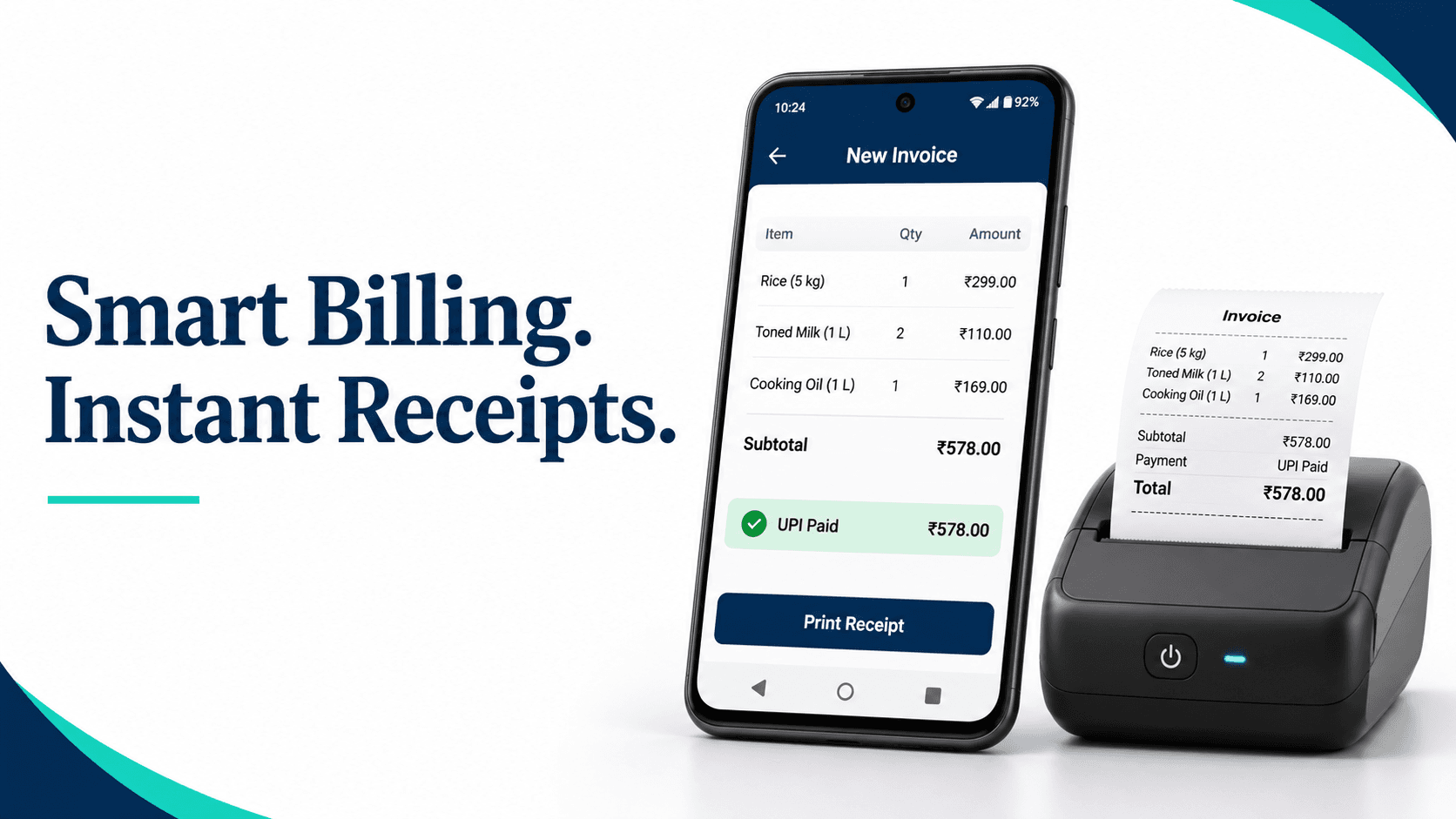
Running a small shop in Kolkata or Howrah? Learn how mobile billing and a compatible thermal printer work, what to test before buying, and when a desktop POS makes more sense.
At a busy counter in Kolkata or Howrah, one sale may involve a calculator, handwritten slip, UPI check and notebook for customer dues. This slows queues and complicates daily reconciliation. A mobile billing app in Kolkata with a compatible thermal receipt printer can simplify billing without a full desktop POS.
Why Calculator Billing Limits Small Shops in Kolkata
Calculators add prices but cannot store searchable sales history. Paper registers get misplaced; UPI collections may not match bills; and udhaar entries can be forgotten.
For kirana, garment and stationery shops, the goal is simple: bill, record payment, print and review sales in one workflow.
Mobile Billing App Kolkata: Features Worth Paying For
Look for:
- Quick bills: Add items, quantities and prices.
- Payment records: Distinguish cash, UPI collections and pending balances.
- Udhaar tracking: Find customer dues digitally.
- Receipts: Print with a tested printer; share digitally where supported.
- Daily reporting: Review sales, payment activity and outstanding dues.
- Languages: Confirm what staff can use.
For GST invoices, barcodes, batch tracking or multiple counters, verify plan-specific functionality in a demo.
Thermal Printer Billing Software: What to Check Before Buying
Thermal printers use heat-sensitive paper without ink cartridges. 58 mm (2-inch) suits compact receipts; 80 mm (3-inch) gives longer item descriptions more width. Check supported formats.
Insist on a demonstration using the actual app, phone and printer model:
- Create a sample bill on the real screen.
- Connect the included printer.
- Print readable items, totals and payment status.
- Reconnect and print again.
- Check paper replacement and charging.
Bluetooth alone does not guarantee compatibility. Confirm warranty and paper costs.
Upgrade Your Kolkata Shop With Smarter Mobile Billing Today
Explore Smart Billing
Shop Billing App West Bengal: A Six-Step Counter Workflow
At a Howrah stationery outlet:
- Open the billing app and select items or enter their prices.
- Check the total.
- Display or accept the supported UPI/QR payment option.
- Verify payment, then mark it paid; a screenshot is not final confirmation.
- Print the receipt using the tested thermal printer.
- Review sales and pending customer dues at closing time.
The result: connected bills, payments and reports.
Manual Calculator vs Mobile Billing vs Desktop POS
| Buying considerationCalculator and registerMobile app + printerDesktop/web POS | |||
| Counter setup | Minimal equipment | Phone plus compatible printer | Computer or POS device and peripherals |
| Sales history | Manual entries | Searchable digital bills | Detailed digital records |
| Customer dues | Notebook-based | App-based, if supported | Integrated customer workflows |
| Advanced inventory | Manual | Varies by plan | Better suited to barcode and multi-location needs |
| Best fit | Very occasional sales | Single-counter small shops | High-volume or expanding retailers |
Choose by transaction volume and actual needs.
MSI's Mobile-First Approach: Smart Billing Lite
Murmu Software Infotech (MSI) developed Smart Billing Lite for billing, QR/UPI payments, customer records, udhaar, WhatsApp communication and daily reports. Hindi/English support and AI-assisted insights are advertised; verify plan inclusions.
Compare its mobile features with the advanced web-based option on the MSI Smart Billing landing page.
Ready to simplify your counter? Get the ₹6,500 Festive Bundle or request a live billing-and-printer demonstration.
Where a Mobile Billing App Fits in Kolkata and Howrah
- Kirana and grocery shops: Daily item bills, cash/UPI records and customer credit.
- Stationery and gift shops: Routine receipts during busy seasons.
- Garment and accessories sellers: Itemized purchases and customer history.
- Salons and repair counters: Service bills and follow-ups.
- Food stalls: Receipts and daily sales review.
Kitchen tickets, medicine expiry tracking and multi-counter billing may require specialized POS.
Real Project Proof: Smart Billing Lite and Growing Retail Needs
MSI's Smart Billing Lite case study documents its billing, payment and reporting architecture, not independently measured Kolkata revenue results.
For barcode billing, larger inventory operations or multiple shops, review the Smart Billing Pro retail POS case study.
₹6,500 Festive Bundle: Cost, Setup and Buyer Checklist
MSI's advertised ₹6,500 festive package combines 13 months of Smart Billing Lite access and one compatible mobile thermal receipt printer. The festive terms describe a 12-month subscription plus 30 additional days. Software-only subscriptions are separate products and should not be confused with the printer bundle.
Before paying, check offer availability, taxes, West Bengal delivery, Android compatibility, printer model, warranty and renewal price. Festive terms mention a five-day trial; verify which trial applies.
Setup covers shop details, items, payments, printer pairing and test billing. Timing depends on catalogue size and training.
Get the ₹6,500 Festive Bundle
Still using a calculator? Test four things: create a bill, verify and record UPI payment, print a receipt, review the daily report.
🎁 Exclusive festive season offer
Turn Everyday Billing into Smarter Business Growth!
Discover AI-powered Smart Billing Lite with quick billing, QR payments, customer management, and AI insights. Get 13 months + a mobile thermal printer for just ₹6,500!
Explore Festive Offer