
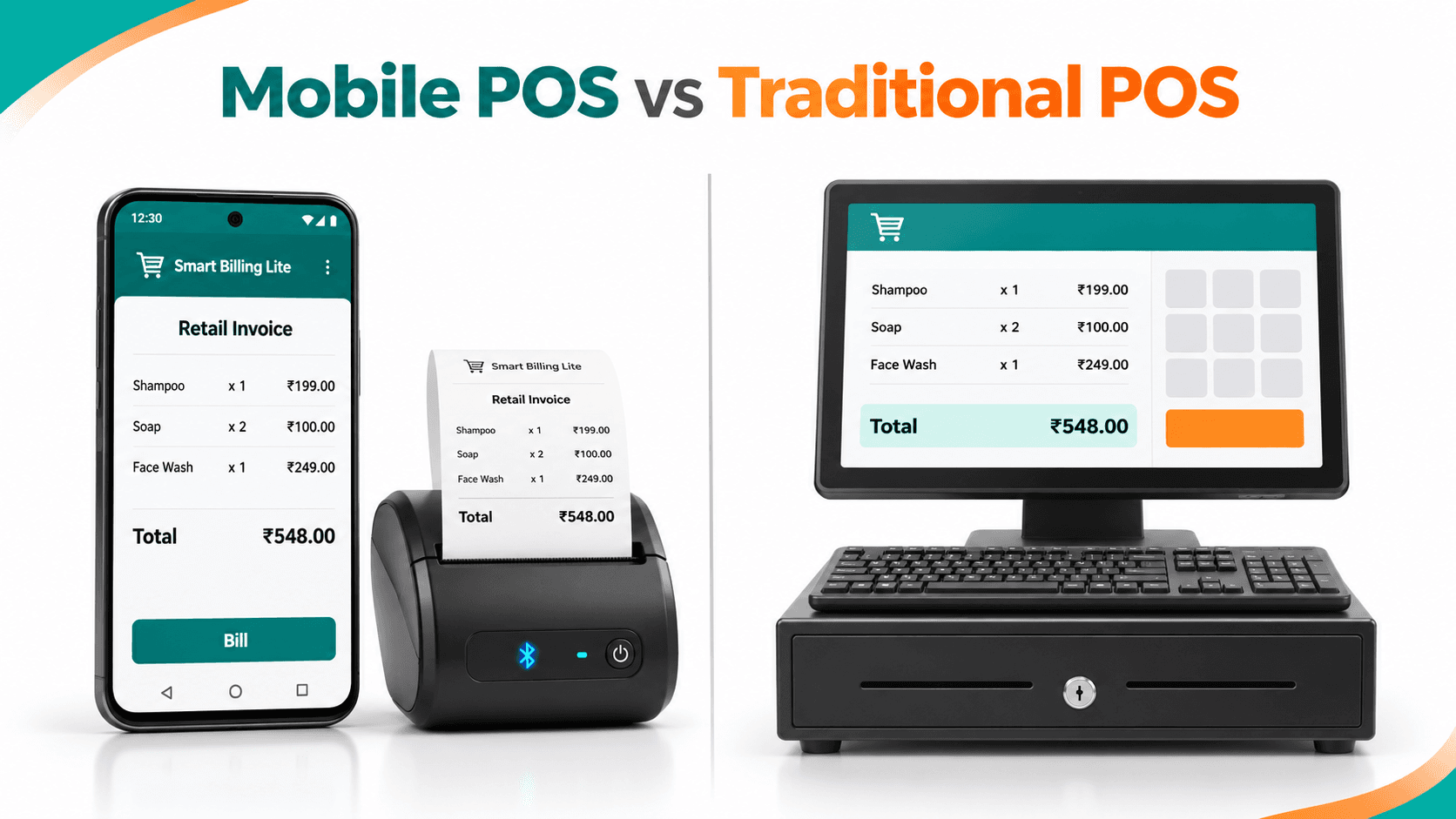
Do small retailers in Mumbai and Pune really need a desktop POS system? Compare mobile billing and traditional POS costs, hardware requirements, UPI payments, receipt printing and daily operations. Discover when Smart Billing Lite's ₹6,500 festive bundle makes sense—and when a complete retail POS is the better investment.
Do you really need an expensive POS setup for everyday billing?
A small clothing store in Mumbai may need quick invoices, UPI payments and customer receipts—but not a large desktop billing counter. Similarly, a gift shop in Pune may spend money on computers, scanners and software before understanding which features it actually needs.
Choosing between a mobile billing app in Mumbai and a traditional POS system should begin with your shop's transaction volume, budget and operational requirements.
For many single-store retailers, a smartphone-based billing setup can be a practical starting point.
1. Mobile Billing App Mumbai: Why Retailers Are Rethinking Traditional POS
Small retailers often manage billing through calculators, handwritten registers and separate payment applications.
This creates everyday problems: repeated calculations, missing receipts, unclear payment records and difficulty reviewing daily sales.
Traditional POS systems solve many of these issues, but they may require dedicated hardware and additional configuration.
A mobile billing app provides another approach: prepare bills on an Android smartphone, record payments and maintain transaction records.
The important question is not which technology looks more advanced. It is which system handles your everyday work reliably.
Upgrade Your Shop Billing Without Expensive Desktop POS Hardware
Explore ₹6,500 Bundle
2. Mobile POS vs Traditional POS: What Is the Difference?
A mobile POS system uses a smartphone or tablet for billing. A traditional POS generally operates through a fixed desktop or dedicated checkout terminal.
| FeatureMobile BillingTraditional POS | ||
| Main device | Smartphone or tablet | Desktop or POS terminal |
| Counter space | Compact | Usually more space |
| Mobility | Portable | Primarily fixed |
| Receipt printing | Compatible mobile printer | Connected receipt printer |
| Inventory | Depends on application | Often more advanced |
| Setup | Usually simpler | Varies with hardware |
| Best fit | Small, single-store retail | High-volume or complex retail |
Neither option is automatically better.
A high-volume garment store with barcode scanning and multiple employees may benefit from a complete POS system. A small boutique with straightforward sales may prefer mobile billing.
3. Affordable Shop Billing Software Maharashtra: Compare Actual Setup Costs
Hardware is one of the biggest differences.
A traditional checkout may include a computer, receipt printer, barcode scanner, cash drawer and backup power.
Mobile billing can use an existing compatible Android smartphone.
Fair Cost Comparison for Small Retailers
| Cost ComponentMobile Billing SetupTraditional POS Setup | ||
| Billing device | Existing Android phone, if compatible | Existing PC or new terminal |
| Software | Subscription or promotional bundle | Subscription or licence |
| Receipt printer | Optional or bundled | Optional or separately purchased |
| Barcode scanner | Depends on workflow | Common for barcode-heavy stores |
| Cash drawer | Usually optional | Optional |
| Training and support | Confirm inclusions | Confirm inclusions |
For perspective, a newly purchased fixed retail counter can involve approximately ₹25,000–₹60,000 in hardware, depending on the equipment chosen. This is an indicative market range, not a universal POS quotation. Reusing an existing computer can substantially reduce that cost.
Smart Billing Lite ₹6,500 Festive Bundle
Smart Billing Lite advertises a ₹6,500 festive package including:
- 13 months of software access.
- One compatible mobile thermal printer.
- Mobile billing and payment-tracking functionality.
The bundle assumes the retailer already has a compatible smartphone.
Compare total costs over at least 12 months, including software renewals, taxes, shipping, printer paper, maintenance and support. Confirm the promotion's current availability before ordering.
Read MSI's Smart Billing Lite Festive Offer Guide.
4. Retail POS Alternative Pune: Which Setup Is Easier?
A gift shop in Kothrud or a boutique in Wakad may not need a dedicated computer for everyday billing.
A typical mobile setup involves:
Install App → Configure Shop → Add Products → Create Bill → Record Payment → Print Receipt
Smart Billing Lite offers calculator-style billing, QR payment collection, customer records, udhaar tracking and daily income reports.
However, business owners should test product entry, payment confirmation, receipt printing and what happens during an internet outage before switching completely.
Compare the Festive ₹6,500 Bundle
Simplify everyday billing with a compact phone-and-printer setup.
Explore Smart Billing Solutions
5. Mobile Billing with Thermal Printer in Mumbai: Are Receipts Different?
A desktop POS often prints receipts through a permanently connected printer.
A mobile billing application can also produce paper receipts using compatible wireless printing hardware.
For a small clothing shop, this can reduce the need for a computer solely to print customer bills.
Before buying, verify the printer model, paper width, pairing method, bill layout and applicable invoice fields.
Thermal printing compatibility should never be assumed for every Android phone and printer combination.
6. UPI Billing Software for Mumbai & Pune Retailers
Customers increasingly expect convenient digital payment options alongside cash.
Smart Billing Lite supports QR/UPI payment workflows and customer transaction records.
For example, a gift-store invoice might contain:
| ProductAmount | |
| Decorative Lamp | ₹650 |
| Gift Box | ₹150 |
| Total | ₹800 |
Illustrative prices before applicable taxes.
The retailer can record the transaction and payment method. Payment receipt must be verified before the bill is marked as collected.
Mobile QR billing is not necessarily the same as an integrated bank card terminal; check card acceptance separately.
7. Smart Billing Lite vs Complete Retail POS: Which Fits Your Business?
Murmu Software Infotech provides two relevant solutions.
Smart Billing Lite focuses on mobile billing, customer records, QR payments, udhaar tracking and daily income reports.
Smart Billing Pro is designed for growing retailers needing barcode POS, inventory management, customer CRM, advanced reports and multi-store operations.
A small gift store or independent service counter may start with Lite. A garment retailer managing extensive size and colour variants may benefit from Pro.
Explore the Smart Billing Lite and Pro solutions.
8. Retail Billing Software Use Cases in Maharashtra
Mumbai clothing shops: Prepare customer invoices and review transaction history.
Pune gift stores: Create everyday bills and record cash or QR payments.
Beauty-product retailers: Maintain product billing and customer records.
Service counters: Record service charges and customer payments, subject to the supported invoice format.
Weekend market vendors: Evaluate portable billing where a fixed checkout counter is impractical.
The right system depends on sales volume, item complexity, hardware requirements and staff access.
9. MSI Case Studies: Practical Evidence Behind the Solutions
MSI's Smart Billing Lite Mobile App Case Study describes the mobile platform's billing, payment, customer management and reporting workflows.
Its separate Smart Billing Pro Retail POS Case Study covers more advanced retail operations, including barcode billing, inventory and customer management.
These projects establish relevant development experience. They do not prove that one product is universally faster or more profitable than another.
10. Choose the Right Billing System for Your Mumbai or Pune Shop
Before purchasing, ask:
- Do we already have a suitable phone or computer?
- How many bills are generated each day?
- Do we need barcode inventory or multiple counters?
- Can our chosen system print the receipts we require?
- What are the complete first-year and renewal costs?
You don't need the biggest billing system. You need the right one.
Compare mobile billing, traditional POS requirements and the advertised festive package before investing.
For a personalized recommendation:
Yes. Visit Murmu Software Infotech's appointment page to discuss your shop's requirements.
🎁 Exclusive festive season offer
Turn Everyday Billing into Smarter Business Growth!
Discover AI-powered Smart Billing Lite with quick billing, QR payments, customer management, and AI insights. Get 13 months + a mobile thermal printer for just ₹6,500!
Explore Festive Offer