
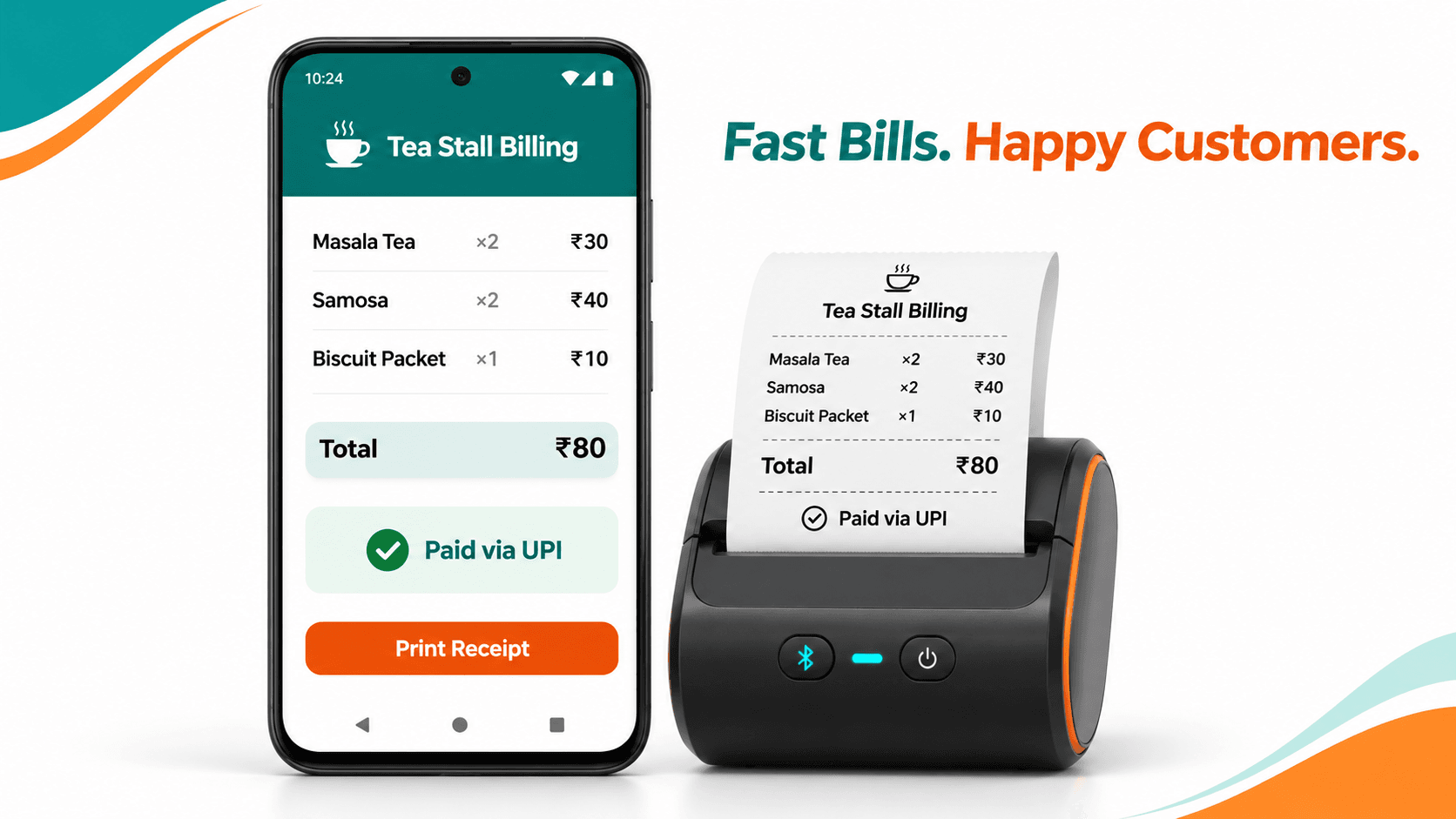
Busy tea stalls, snack counters and small cafés need quick billing without complicated restaurant software. Discover how Smart Billing Lite can help food businesses in Bhubaneswar, Cuttack and Rourkela prepare itemized bills, record UPI payments, print receipts and review daily sales using an Android smartphone.
Busy food counter? Keep the billing quick and the payment records organised.
A tea stall in Bhubaneswar serves several customers within minutes. A snack counter in Cuttack handles cash and UPI payments during the evening rush. A small café in Rourkela needs to calculate multiple food items and prepare customer receipts.
When billing depends on mental calculations, handwritten notes and separate payment records, mistakes can become easier to make.
A food stall billing app in Odisha helps small food businesses organize everyday transactions without immediately investing in complex restaurant management software.
1. Food Stall Billing App Odisha: Why Manual Billing Creates Problems
Tea stalls, snack shops and takeaway counters often process many small transactions.
During busy hours, owners must calculate quantities, collect payments, return change and serve customers simultaneously.
Common challenges include incorrect totals, forgotten transactions, missing receipts and unclear daily collections.
Paper registers may work for a few orders, but they become harder to review as transaction volume increases.
A mobile billing system can help create consistent records while keeping the checkout workflow straightforward.
2. Tea Shop Billing Software: Simplify Menu Items and Quantities
A small tea business generally needs a simple billing process:
Select Item → Enter Quantity → Calculate Total → Record Payment → Save Bill
Consider this illustrative food-counter invoice:
| Menu ItemQuantityAmount | ||
| Masala Tea | 2 | ₹30 |
| Samosa | 2 | ₹40 |
| Biscuit Packet | 1 | ₹10 |
| Total | ₹80 |
Sample prices before any applicable taxes.
Instead of repeatedly calculating ₹15 × 2 or ₹20 × 2, a suitable billing app can calculate the total from configured item prices.
Before selecting a product, test whether its item-entry and quantity controls match your actual menu.
3. Cafe Billing Software Bhubaneswar: Keep Checkout Simple
Small cafés in Bhubaneswar may sell coffee, sandwiches, pastries and takeaway snacks.
For a counter-service café, important requirements include clear item descriptions, quantity-based billing, payment recording and easy receipt generation.
The billing system should also allow staff to understand the final amount before confirming a sale.
Businesses handling dine-in tables, kitchen orders, recipes or delivery integrations may need more specialized restaurant POS software.
For a simple takeaway counter, a lightweight mobile billing application may be sufficient.
Simplify Tea Stall and Cafe Billing with Your Smartphone
Explore Smart Billing
4. Thermal Printer Billing Cuttack: Print Receipts from a Smartphone
A desktop computer is not always necessary for a small food counter.
With supported software and a compatible mobile thermal printer, a business can create a bill on its Android phone and print a physical receipt.
Printed receipts can help customers review purchased items and amounts.
Before buying, check printer compatibility, paper width, Bluetooth connectivity and invoice layout. Test a complete print cycle, including reconnecting the printer after a disconnection.
For related setup considerations, read MSI's Mobile Billing App and Thermal Printer Guide.
5. Smart Billing Lite: A Mobile-First Solution for Small Food Businesses
Developed by Murmu Software Infotech (MSI), Smart Billing Lite is designed for small retailers, vendors, food stalls and service businesses.
Its documented capabilities include calculator-style billing, QR/UPI payment workflows, customer records, udhaar tracking, WhatsApp communication and daily income reports.
The Smart Billing Lite website also advertises receipt printing with compatible hardware.
For a food counter, the practical objective is to create customer bills, record payments and review daily business activity from a smartphone.
Explore Smart Billing Lite and Pro to understand the available solutions.
See How Simple Food-Counter Billing Works
Manage everyday bills, payment records and receipts without an unnecessarily complicated setup.
6. UPI Billing for Tea Stalls and Cafes in Odisha
A food counter may accept both cash and QR/UPI payments throughout the day.
A suitable mobile billing workflow should help maintain the payment method against each sale.
For example, if a customer purchases snacks worth ₹80 and pays through UPI, the shopkeeper should confirm the payment in the receiving account before marking the bill as paid.
At closing time, recorded sales should be compared with cash received and verified digital collections.
Keeping these records organized reduces dependence on memory or scattered handwritten notes.
7. Mobile Billing App Rourkela: Which Food Businesses Benefit?
Tea stalls can use simple billing for tea, biscuits and snacks.
Snack counters can record quantities and customer payments.
Bakeries can prepare bills for cakes, pastries and packaged products.
Takeaway shops can maintain transaction records and issue customer receipts.
Small cafés can evaluate mobile billing for straightforward counter orders.
The right setup depends on menu complexity, staff requirements and daily order volume.
8. MSI Case Study: Evidence Behind Smart Billing Lite
MSI's Smart Billing Lite Mobile App Case Study documents its billing, payment collection, customer management and reporting capabilities.
The case study demonstrates relevant software development experience.
It does not establish that Smart Billing Lite includes every specialized restaurant feature, such as kitchen order tickets, table management, recipe costing or delivery-platform integration.
Businesses requiring those capabilities should verify them separately.
9. Food Stall Billing Software Cost and Setup in Odisha
The total setup cost depends on the software plan, smartphone availability, printer hardware and support requirements.
Smart Billing Lite advertises a ₹6,500 festive package featuring 13 months of software access and a mobile thermal printer.
This is a promotional package, not a guaranteed permanent price. Confirm current availability, taxes, delivery, warranty and renewal charges.
Read MSI's Festive Billing App and Printer Offer.
Initial setup involves configuring shop details, entering items and prices, setting payment information and testing sample bills.
10. Upgrade Food-Counter Billing Without Unnecessary Complexity
For small food businesses, good billing software should make everyday transactions easier to record and review.
A lightweight mobile setup may suit a single tea stall or takeaway counter. Larger restaurants with multiple kitchens, tables and stock-intensive operations may benefit from a dedicated restaurant POS.
Start with the system your counter actually needs.
See How Simple Food-Counter Billing Works
Simplify billing for your tea stall, snack counter, bakery or café in Odisha.
Explore Smart Billing Solutions
Want to test your own menu, bill format and printer requirements?
Visit Murmu Software Infotech's appointment page to discuss your requirements.
🎁 Exclusive festive season offer
Turn Everyday Billing into Smarter Business Growth!
Discover AI-powered Smart Billing Lite with quick billing, QR payments, customer management, and AI insights. Get 13 months + a mobile thermal printer for just ₹6,500!
Explore Festive Offer