
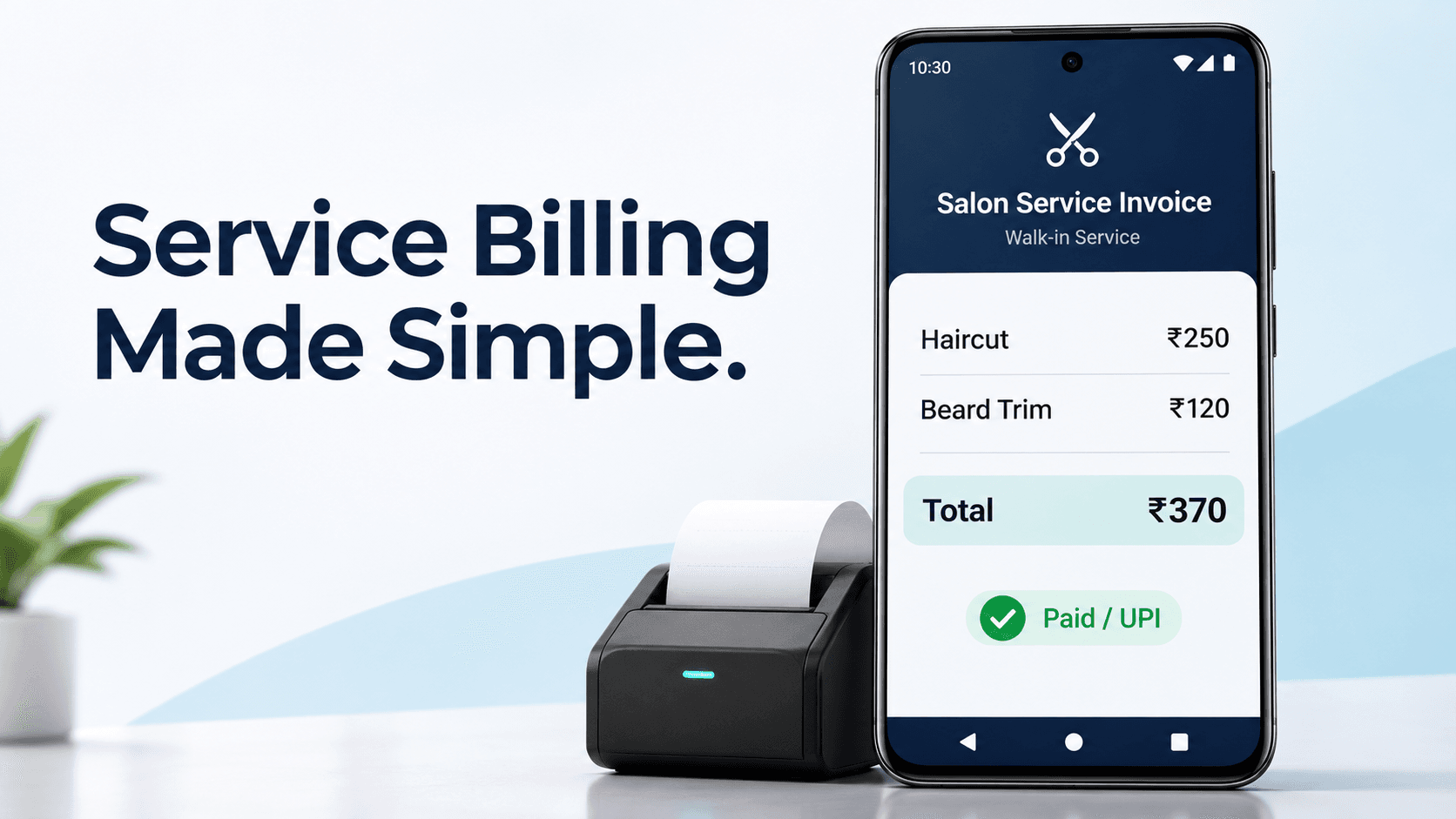
Running a salon, repair shop or local service business? Discover how a simple mobile billing app can help you create invoices, record UPI payments, manage customer bills and track daily service income without complicated software.
A customer finishes a haircut, appliance repair or home service and asks for a bill. The owner calculates the amount, checks the service rate, confirms whether the customer paid through UPI or cash, and writes the transaction in a register. When the shop gets busy, invoices take longer, payment entries get missed, and daily earnings become difficult to verify.
For salons, repair shops and local service businesses in India, the answer is often a simple service billing app that handles everyday invoices and customer payment records without requiring a complicated software system.
Create Service Bills Faster With One Simple Mobile App
Try Smart Billing Lite
Why Small Service Businesses Need a Service Billing App in India
Unlike a supermarket, a service business does not always sell fixed-price products. The amount may depend on the work completed, materials used, service duration or customer-specific pricing.
Common billing challenges include:
- Different rates for similar services.
- Missing customer invoice history.
- Cash and UPI payments recorded separately.
- Difficulty identifying pending customer payments.
- Manual calculations and handwritten receipts.
- No clear summary of daily business income.
These problems affect salons in Bengaluru, repair businesses in Chennai and Coimbatore, local service providers in Hyderabad, and small businesses across Mumbai, Pune and Delhi NCR.
A mobile billing workflow can bring these essential records together.
Manual Register vs Mobile Service Invoice: What Changes?
Paper registers are familiar, but finding an earlier transaction or checking the day's collection can take unnecessary time.
| Everyday Task | Traditional Register | Mobile Billing App |
|---|---|---|
| Create a bill | Write and calculate manually | Enter services and generate a digital bill |
| Check service rates | Refer to a rate card | Use saved rates or edit supported fields |
| Record payments | Maintain separate entries | Record payment details with the transaction |
| Find an old bill | Search previous pages | Review available bill history |
| Track daily income | Total entries manually | View daily sales or income reports |
| Share receipts | Handwrite or photograph | Share supported digital receipts |
A billing app is most useful when it simplifies existing work rather than forcing the owner to change every business process.
What Should the Best Salon Invoice Software Include?
A neighbourhood salon may need only a few essential functions:
- Quick service billing: Select a haircut, facial, grooming service or treatment and prepare the bill.
- Editable service prices: Adjust a rate when a service varies in complexity, subject to the app's supported workflow.
- Customer records: Keep billing information linked to returning customers.
- UPI and cash payment records: Record how the customer paid and confirm the actual payment.
- Receipt sharing: Provide a digital receipt or use a compatible printer.
- Daily sales reports: Review income without manually calculating every entry.
Appointment booking, stylist commissions, membership packages and staff attendance may matter for larger salons, but a small outlet should not automatically pay for features it does not use.
Service Invoice Example: Simple Billing for a Salon
Consider an illustrative salon transaction:
| Service | Amount |
|---|---|
| Haircut | ₹250 |
| Beard trimming | ₹120 |
| Total before applicable tax or discount | ₹370 |
The billing process should be straightforward:
- Choose or enter the services performed.
- Check the rates and adjust them where supported.
- Generate the customer bill.
- Confirm payment through UPI or cash.
- Save the transaction and share or print the receipt.
This is an illustrative example, not a real customer record or a screenshot from a live account.
For taxable transactions, the invoice must contain the details required for that business. Owners should verify the software's tax and invoice capabilities against their compliance requirements.
Repair Shop Billing App: Handling Labour and Spare Parts
Repair businesses often need a different invoice structure from salons.
For example, a mobile repair shop may bill for:
- Screen replacement labour.
- A replacement component.
- Inspection or diagnosis charges.
Where supported, a single invoice can include both service charges and physical products. This helps the customer understand what they paid for.
Before selecting a repair shop billing app, test whether it allows service descriptions, variable rates, product line items, discounts and payment records in the format your business needs.
A service-focused shop with simple invoicing requirements may not need a complete inventory or ERP system.
How Smart Billing Lite Supports Mobile Service Billing
Smart Billing Lite from Murmu Software Infotech is designed for smaller businesses that need straightforward mobile billing and payment tracking.
Its documented capabilities include:
- Calculator-style mobile billing.
- QR and UPI payment workflows.
- Customer records and credit tracking.
- WhatsApp receipt sharing.
- Daily income reports.
- Hindi and English support.
For a business owner who primarily wants to generate bills and review payments, these functions provide a practical starting point.
Create Service Bills Faster — Explore Smart Billing Lite.
Mobile Service Invoice Features to Test Before Buying
A feature list is useful, but a real demonstration is more important. Ask the provider to show:
Service rate changes: Can staff change the amount for a special repair or customised treatment?
Customer billing history: Can a returning customer’s previous transactions be found easily?
Mixed service and product bills: Can labour and spare parts appear together, if required?
Payment recording: Can cash and UPI transactions be distinguished? Does the business still need to verify the payment confirmation?
Printer workflow: Can a bill print on your specific thermal printer model?
Receipt sharing: Can the customer receive an understandable digital bill?
Daily reporting: Does the day-end summary match recorded sales and payments?
Testing these tasks is more valuable than choosing software based on a long feature list.
Service Billing App Use Cases Across Indian Cities
A simple mobile billing workflow can suit different local businesses:
- Bengaluru: Barbershops, beauty parlours and independent grooming studios.
- Chennai: Appliance service centres and neighbourhood repair shops.
- Coimbatore: Electronics repair, maintenance and small service workshops.
- Hyderabad: Salons, cleaning services and local technicians.
- Mumbai and Pune: Home-service providers, mobile repair centres and grooming businesses.
- Delhi NCR: Independent service professionals, workshops and beauty businesses.
The essential requirement is similar: create the correct bill, record payment and maintain a clear transaction history.
Smart Billing Lite vs Advanced Billing Software: Which Should You Choose?
A small business does not always need the same software as a multi-counter retail operation.
| Choose Smart Billing Lite When… | Consider Advanced Software When… |
|---|---|
| You primarily create simple service bills | You manage complex POS workflows |
| You work from a phone | You need desktop or multi-counter operations |
| You need customer and payment records | You need detailed inventory and staff permissions |
| You want basic daily income reporting | You require advanced financial or operational reporting |
Murmu Software Infotech also offers Smart Billing Pro for more advanced retail operations.
The Smart Billing Pro case study explains its broader billing, inventory and customer-management approach.
Smart Billing Lite Case Study: What Has Been Developed?
Murmu Software Infotech has documented the development of Smart Billing Lite as a mobile-first SaaS billing platform for small businesses.
The project covers mobile invoicing, digital payment workflows, customer management, WhatsApp communication and business reporting.
Read the Smart Billing Lite mobile billing case study to explore the product approach and documented capabilities.
This is product-development evidence, not a claim of measured revenue growth for salon or repair-shop customers.
Service Billing App Cost, Printer Setup and Trial Workflow
Billing software cost depends on the plan, billing volume, hardware, advanced features and required support.
Before purchasing, compare the total cost of:
- Software subscription and renewal.
- Compatible receipt printer, if needed.
- Setup and training.
- Additional users or devices.
- Future upgrades.
If printed receipts matter, review the mobile billing and thermal printer guide.
A sensible trial workflow is to create a sample service invoice, test a rate change, record a verified UPI payment, check the customer record, review the daily report and print one receipt on your intended printer.
Confirm the current trial terms, available features and pricing before subscribing.
Benefits of Simple Billing Software for Local Service Businesses
The right system can make everyday operations easier by helping owners:
- Spend less time preparing routine bills.
- Keep transaction information easier to retrieve.
- Maintain more organised payment records.
- Review the day's sales more conveniently.
- Provide customers with clearer receipts.
- Choose advanced features only when genuinely needed.
The goal is not complicated automation. It is better control over the transactions your business already handles every day.
Create Service Bills Faster — Explore Smart Billing Lite
Your salon, repair shop or service business deserves a billing process that works as efficiently as you do.
Start with everyday essentials: create an invoice, record the payment, maintain customer billing history and review daily sales.
Create Service Bills Faster — Explore Smart Billing Lite.
🎁 Exclusive festive season offer
Turn Everyday Billing into Smarter Business Growth!
Discover AI-powered Smart Billing Lite with quick billing, QR payments, customer management, and AI insights. Get 13 months + a mobile thermal printer for just ₹6,500!
Explore Festive Offer